
Before you begin
First, open the WayThread app on your iPhone. Make sure you are on app.way-thread.com, not this Guide page. If the link opens inside another app, open it in your device's regular browser before continuing.
1. Open WayThread
With WayThread open in your browser, select the Share control.
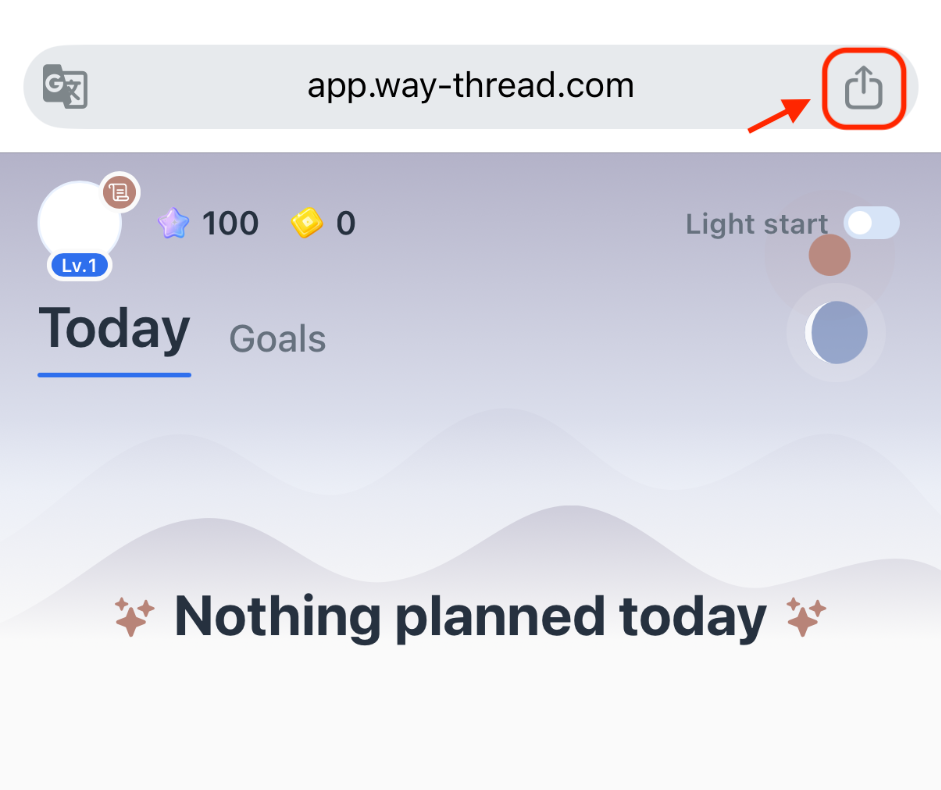
2. Choose Add to Home Screen
Open the Share menu and choose Add to Home Screen.
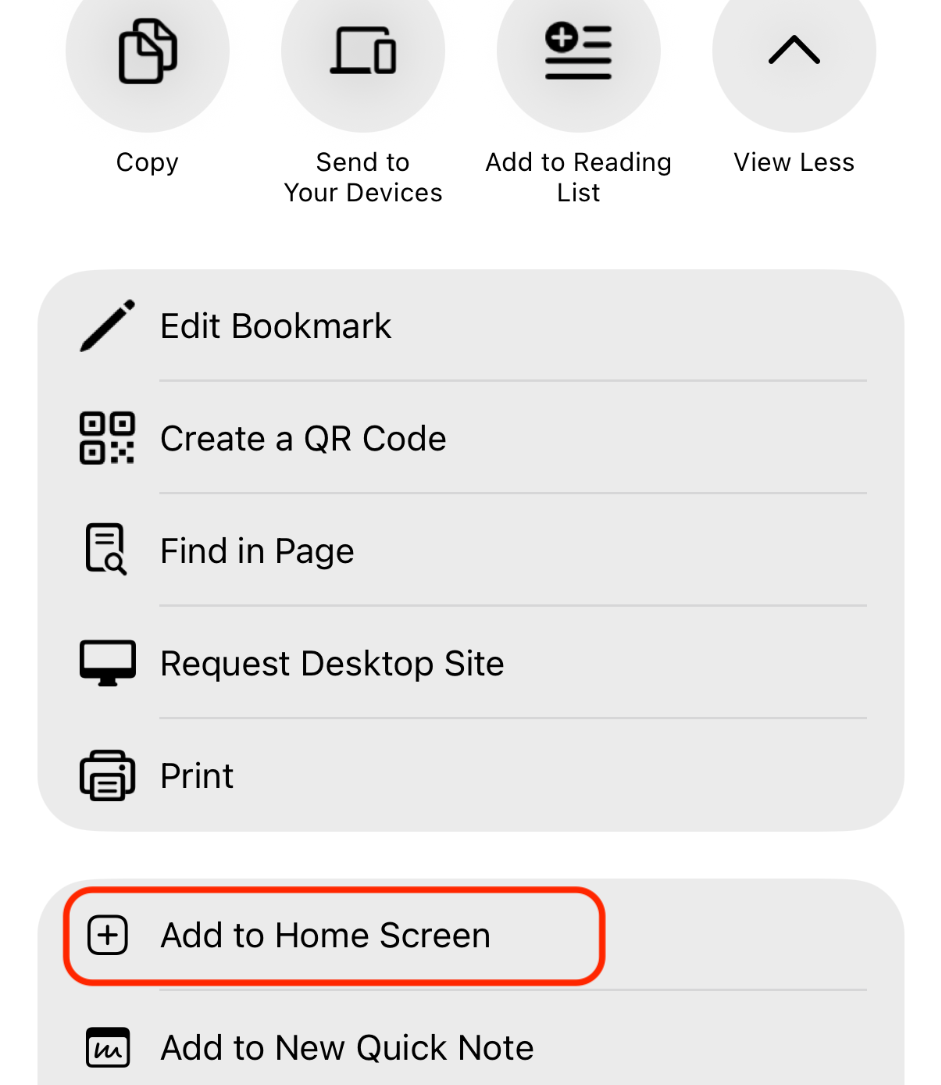
3. Confirm
Keep Open as Web App enabled, then tap Add.
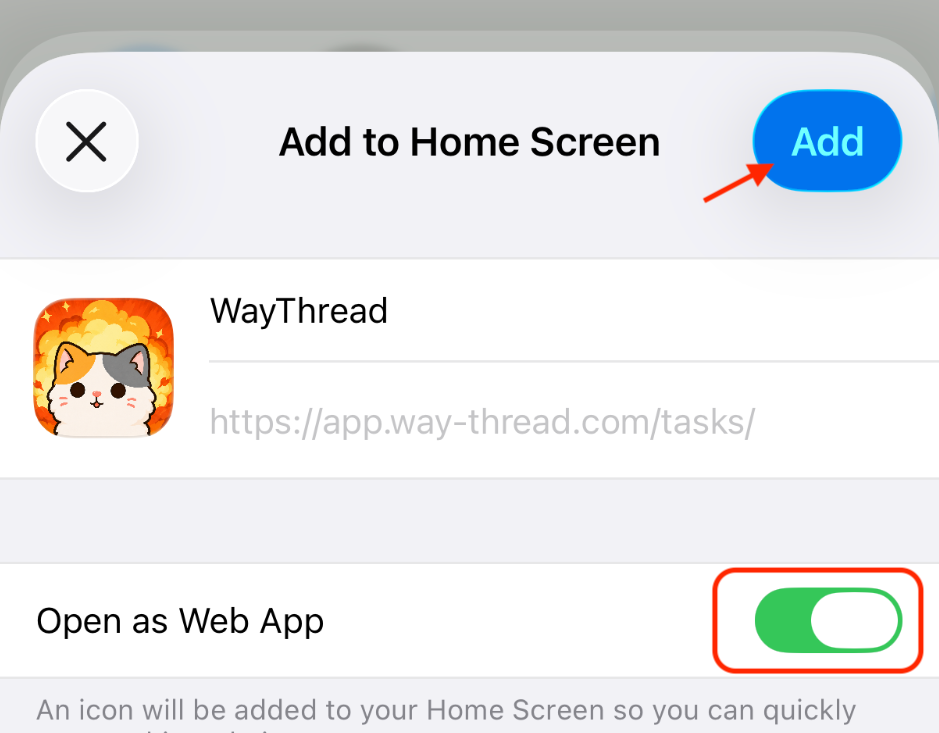
If the option is not available
Make sure WayThread is open in your device's regular browser and let the page finish loading. If it opened inside another app, switch browsers. Menu wording may vary slightly by browser or system version. WayThread still works in your browser if home-screen installation is unavailable.
Before you begin
Open the actual WayThread app in your regular Android browser and make sure you are on app.way-thread.com, not this Guide page. The screenshots below use Chrome as an example. Menu wording varies by Android browser; in another browser, look for a similar option to add WayThread to your Home Screen.
1. Open WayThread
Open WayThread in your browser, then open the browser menu.
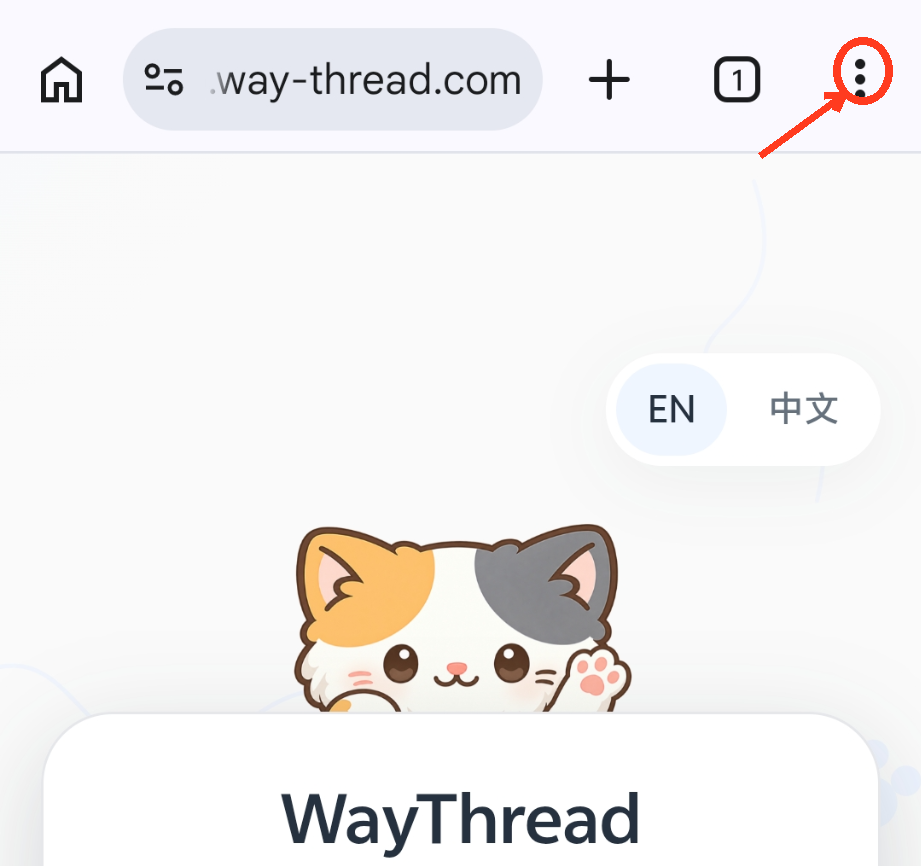
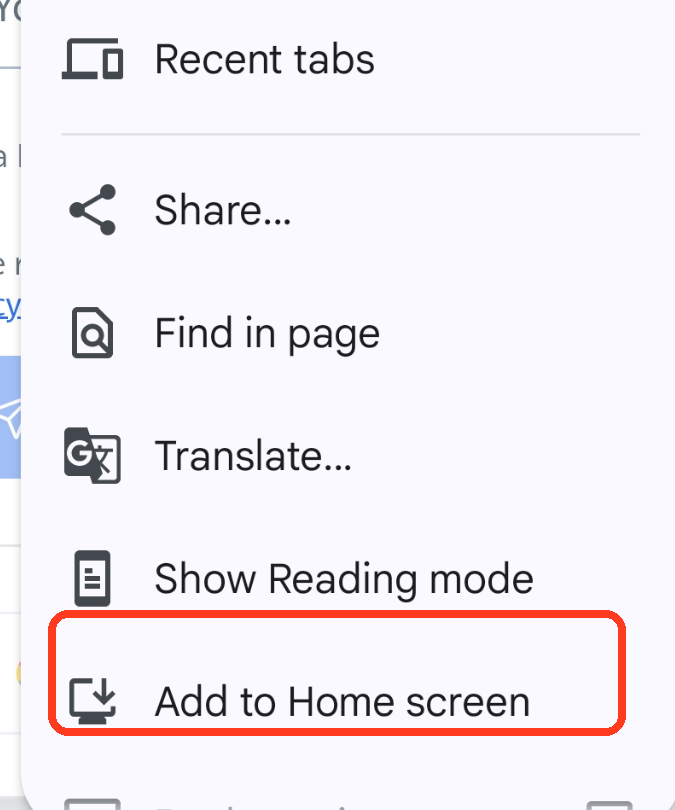
2. Choose Add to home screen
In this Chrome example, choose Add to home screen.
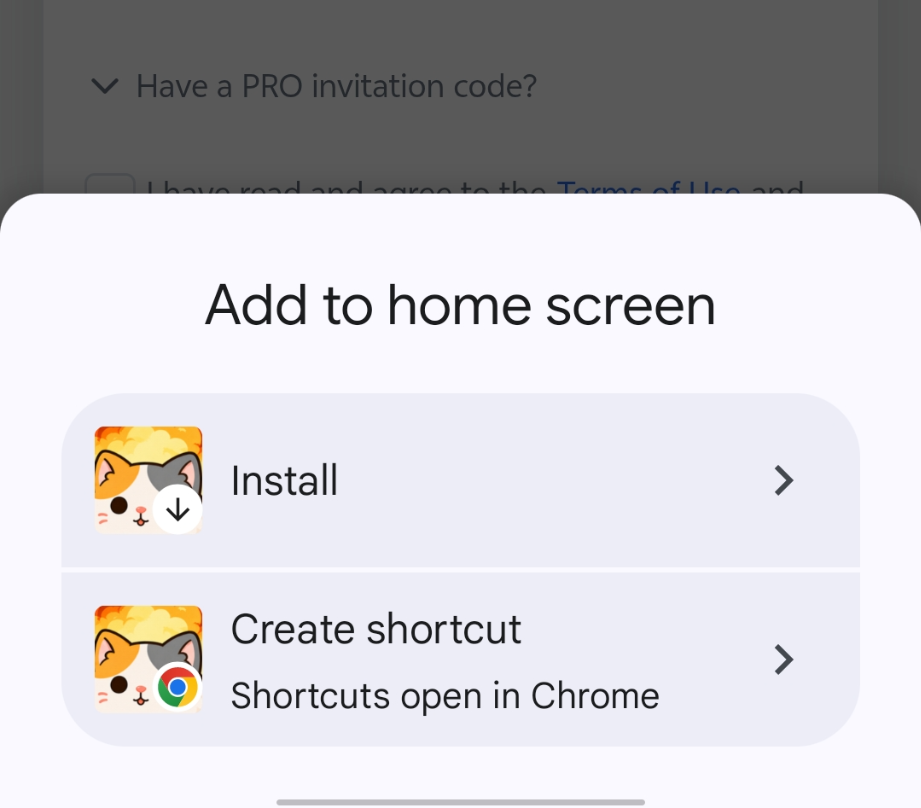
3. Choose Create shortcut
Choose Create shortcut.
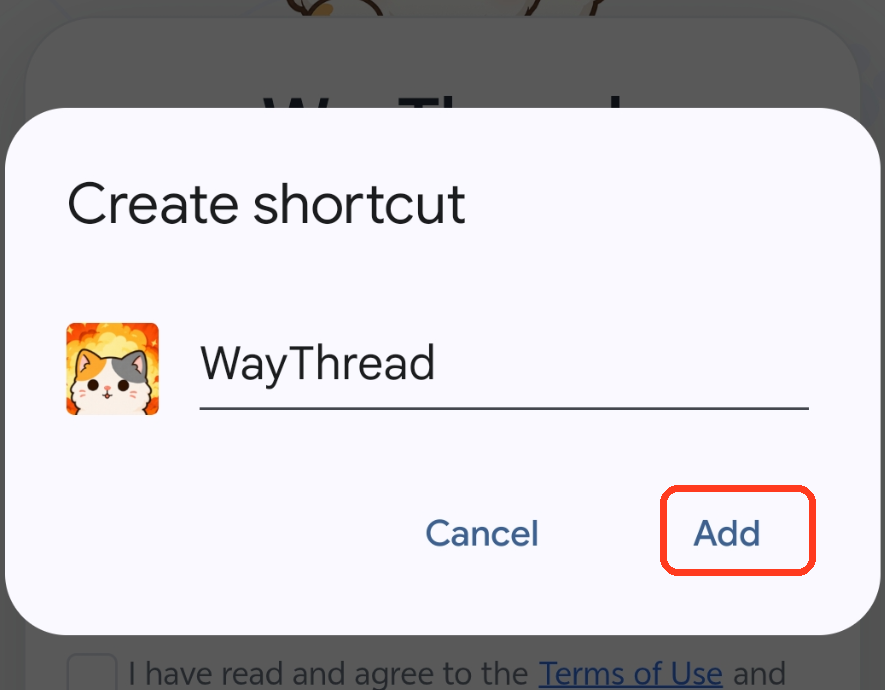
4. Add WayThread
Confirm the displayed WayThread name, then tap Add.
If the option is not available
Use your device's regular browser and let the page finish loading. Menu labels may vary by browser or system version. WayThread still works in your browser if a Home Screen option is unavailable.
Before you begin
Open the actual WayThread app in the browser and make sure you are on app.way-thread.com, not this Guide page. The screenshots below use the HarmonyOS built-in browser.
1. Open WayThread
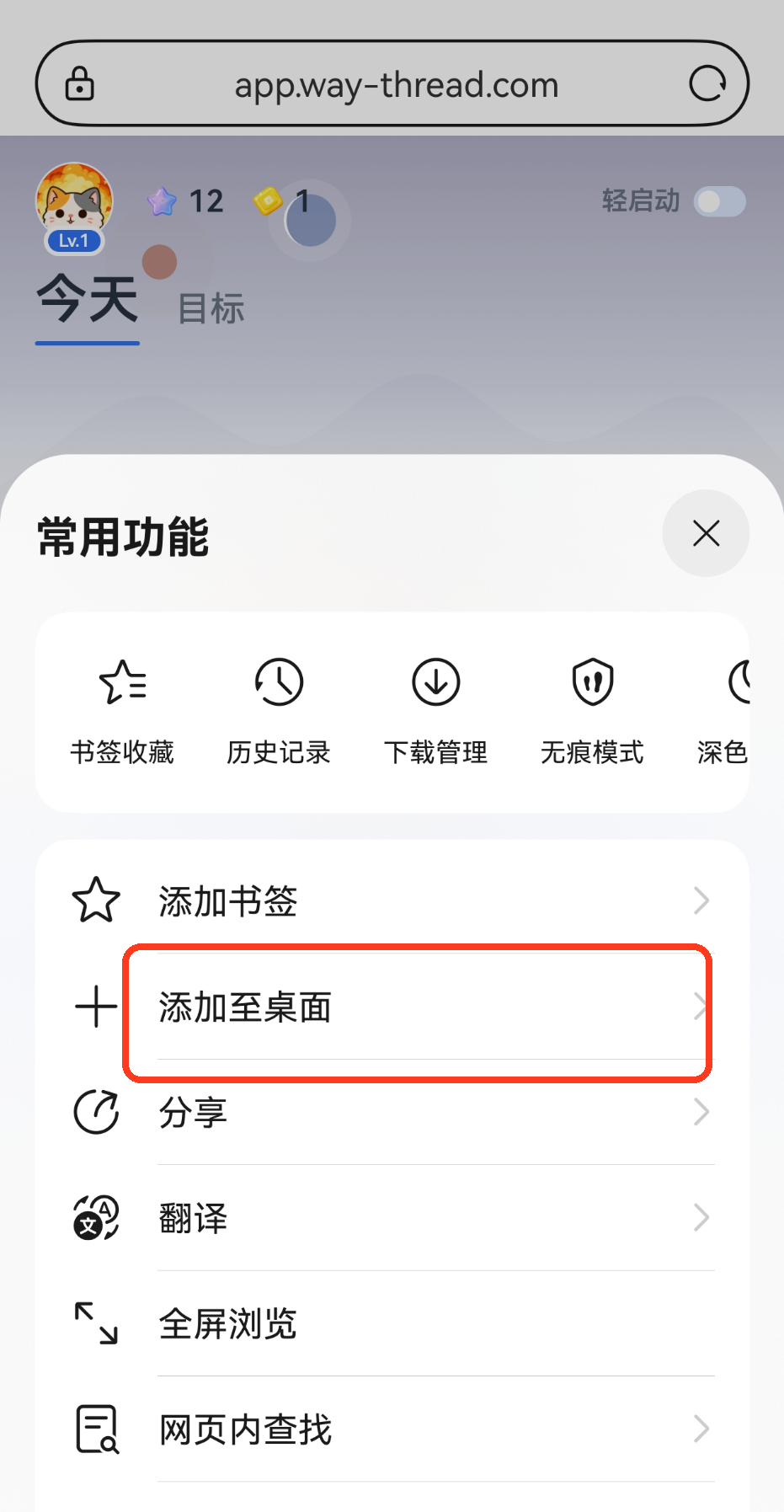
Open WayThread, then open the browser menu.
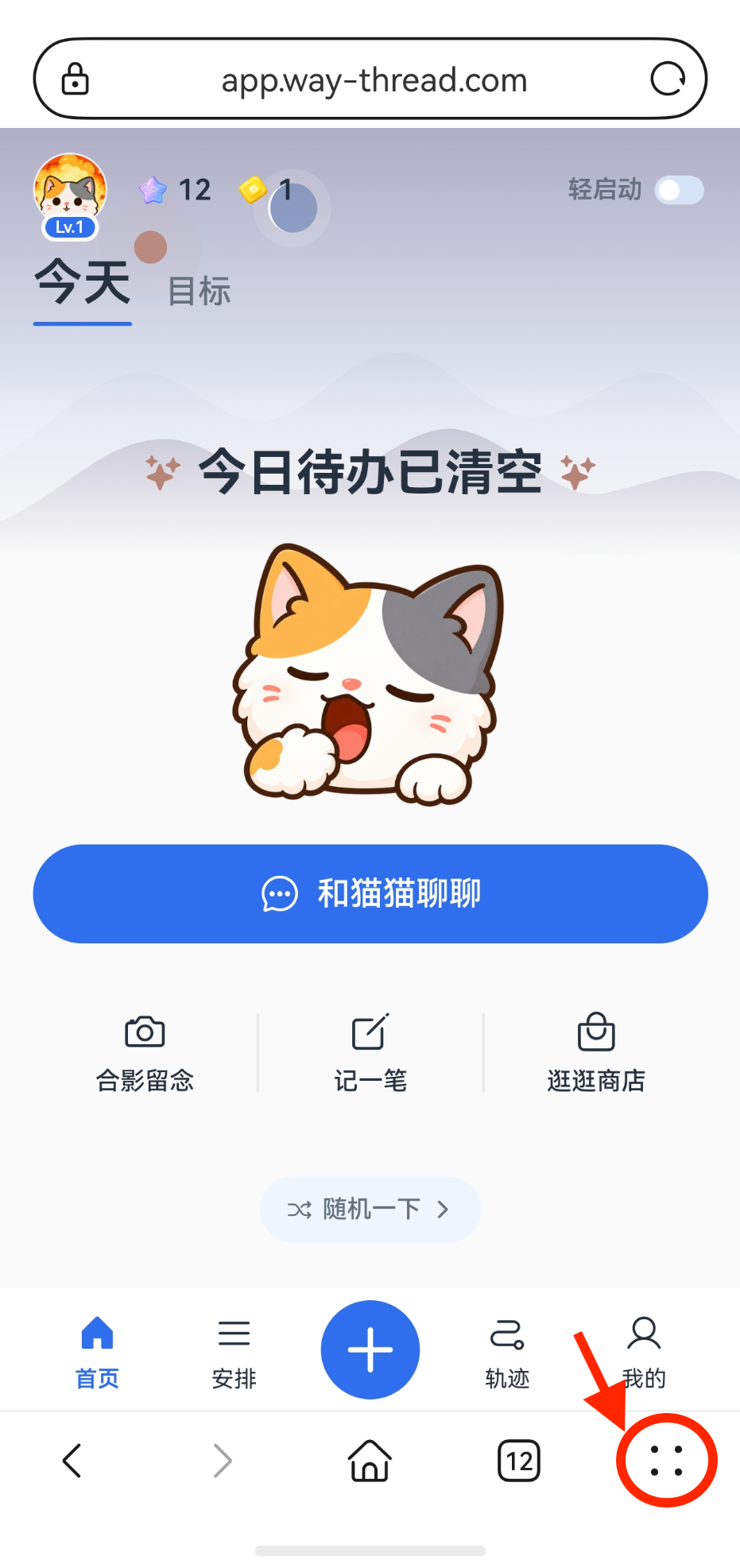
2. Choose Add to desktop
Choose 添加至桌面 (Add to desktop).
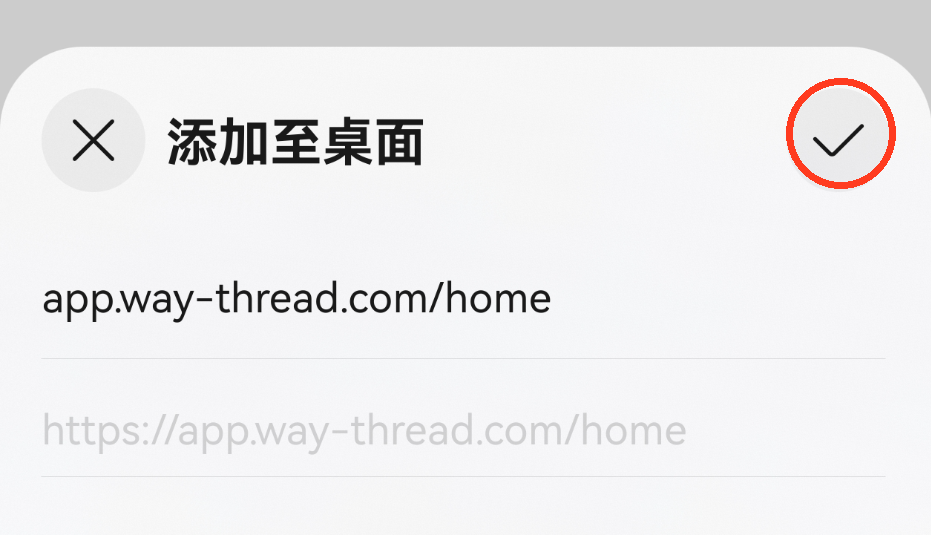
3. Confirm
Review the displayed WayThread address and name, then use the confirmation control in the top-right corner to finish adding it to the desktop or Home Screen.
If the option is not available
Use your device's regular browser and let the page finish loading. Available options and wording may vary by browser or system version. WayThread still works in your browser if a desktop or Home Screen option is unavailable.